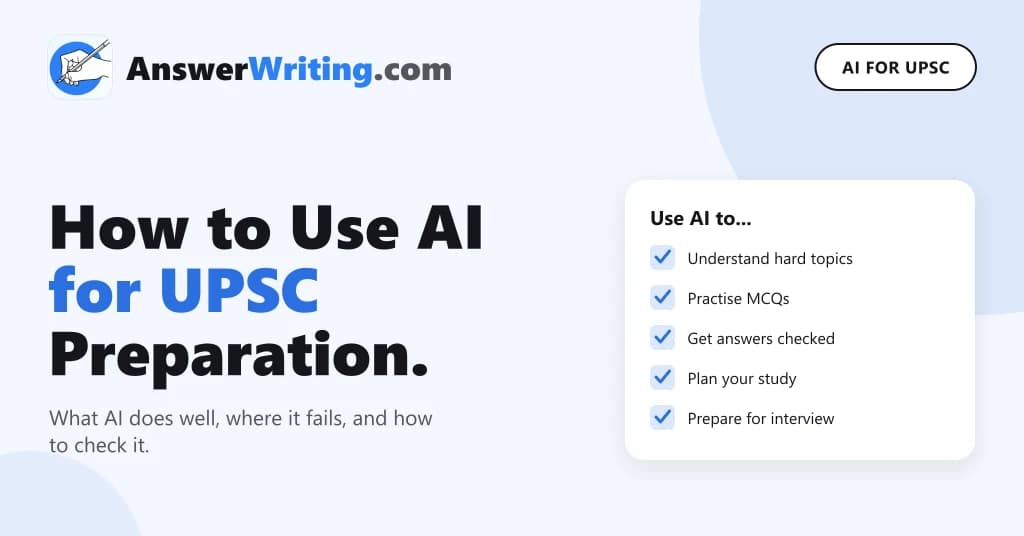
AI tools can help you prepare for UPSC in five main ways: explaining difficult topics in simple words, testing you with practice questions, checking your Mains answers, helping you plan your study, and preparing you for the interview. But AI also makes mistakes, especially with facts, numbers and recent events. So use AI as a helper that you check, never as your only source.
This guide is for beginners. It explains what AI can and cannot do for UPSC, with simple examples and a checklist you can follow every day.
What Do We Mean by AI Tools?
In this post, “AI tools” means chat-based tools like ChatGPT, Gemini and Claude, and exam-focused platforms like AnswerWriting that are built for UPSC. You type a question or upload your answer, and the tool replies in a few seconds.
General chat tools know a little about everything. Exam-focused tools are set up for one exam, with its syllabus, its marking style and its type of questions. Both can help, but for different jobs.
Five Ways to Use AI in UPSC Preparation
| Use | What you do | Example |
|---|---|---|
| Understand a topic | Ask AI to explain a concept in simple words | “Explain the difference between a money bill and a finance bill with one example” |
| Practise questions | Ask for MCQs on a topic you just finished | “Give me 10 MCQs on the Fundamental Rights, with answers at the end” |
| Check your Mains answers | Upload your handwritten answer for feedback | Get a score, missing points and a model answer |
| Plan your study | Ask for a timetable based on your hours | “I have 5 hours a day for 10 months. Make a plan for GS and one optional” |
| Prepare for the interview | Ask for questions based on your background | “I am a civil engineer from Kanpur. Ask me 10 interview questions” |
1. Understand difficult topics
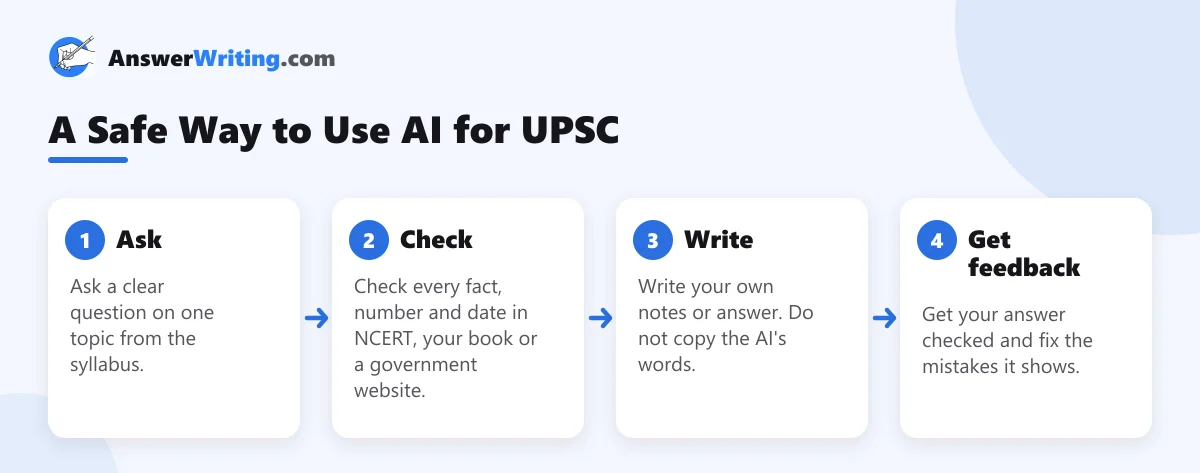
When a chapter in your book is hard to follow, ask AI to explain it as if you are reading it for the first time. Ask for one example from India. Then go back to your book and read the chapter again. You will find it much easier.
This works well for concepts in polity, economy and science, for example how the repo rate affects loans, or what a constitutional amendment needs to pass.
2. Practise MCQs
After finishing a topic, ask for 10 to 15 MCQs. Answer them before looking at the answers. This tells you quickly what you have not understood. Be careful: AI sometimes makes MCQs with wrong answers or two correct options. If an answer looks wrong, check it in your book. For exam-level practice, use a question bank that has been checked, like the MCQ practice on AnswerWriting.
3. Get your Mains answers checked
This is where AI helps beginners the most. Earlier, aspirants waited days or weeks for a teacher to check their answers. Now you can get feedback within minutes, every day. Good feedback should tell you which points you missed, whether you answered what the question asked, and how to improve your introduction and conclusion.
Our posts on AI evaluation vs human evaluation and how to self-evaluate your answers explain how to use this feedback well.
4. Plan your study
Tell the AI how many hours you have each day, how many months are left, and which subjects are weak. Ask for a weekly plan. Then change the plan to fit your real life.
5. Prepare for the interview
Give the AI the details you filled in your form: your education, home district, job and hobbies. Ask it to act as an interview board and ask you questions one by one. Answer out loud, as if you are in the room. This builds confidence before your mock interviews.
Where AI Makes Mistakes
AI tools can write wrong things with full confidence. In UPSC, a wrong date or number in your notes can cost you marks. These are the most common problems:
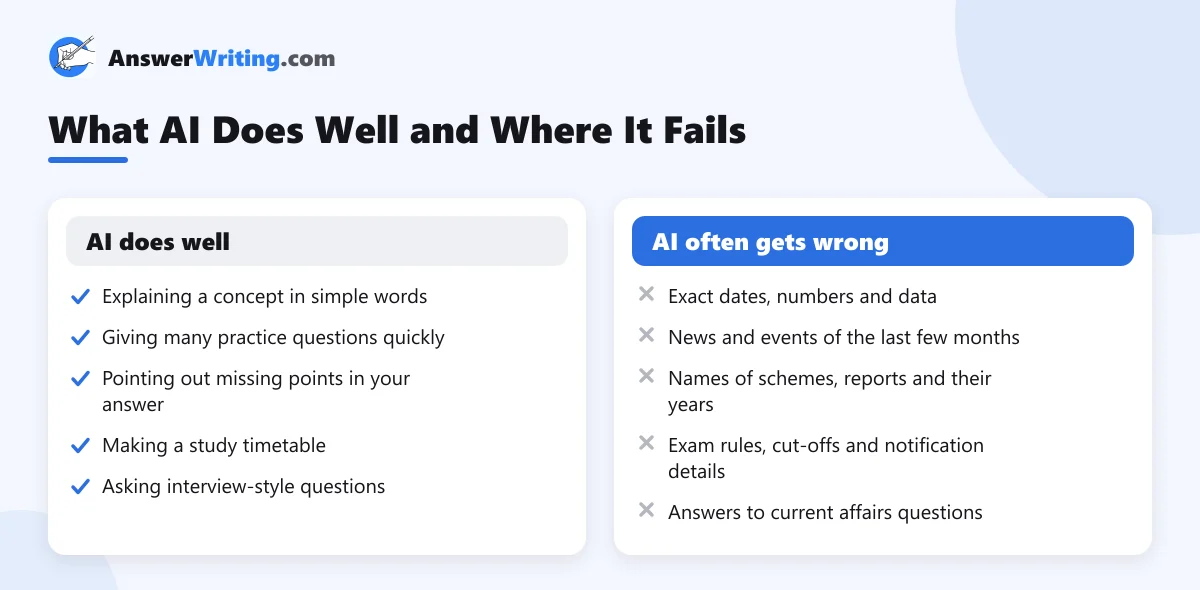
- AI may give a wrong year for an Act, a wrong number for a report or a scheme that does not exist.
- Many tools do not know about very recent events. For current affairs, use newspapers and the Press Information Bureau.
- If you copy AI text, your answers will sound like everyone else’s. Examiners look for your own thinking.
- If AI writes your notes, you will not remember them in the exam hall. Writing in your own words is how you learn.
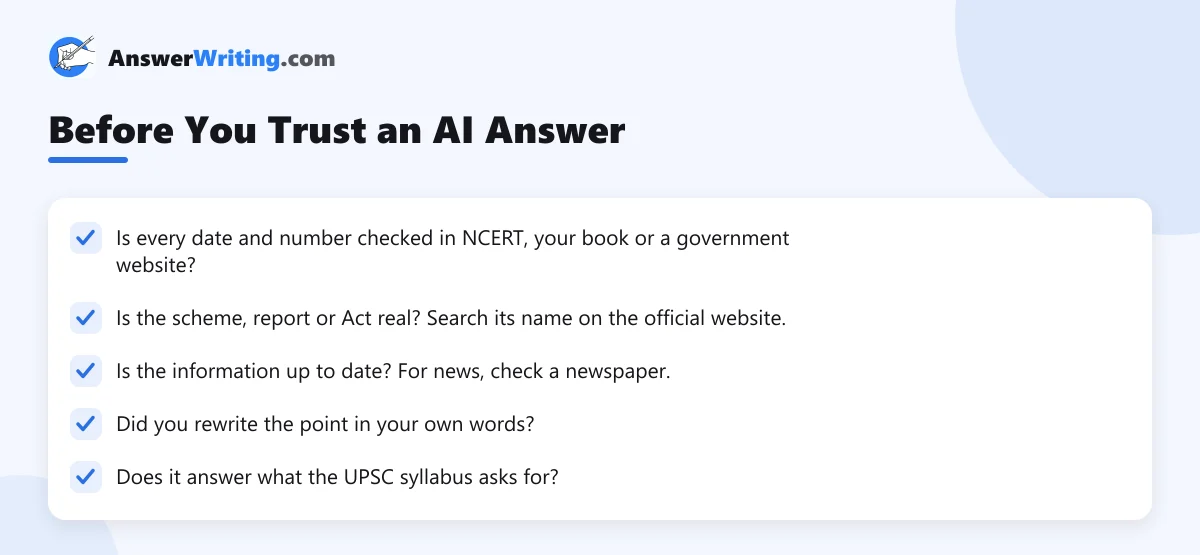
A Checklist Before You Trust an AI Answer
General AI Tools vs UPSC-Focused Platforms
A general chat tool is free or cheap and good for explaining concepts. But it does not know the UPSC marking style unless you explain it every time, and it gives different feedback for the same answer on different days.
A UPSC-focused platform is set up for the exam: it knows the syllabus, the word limits and how answers are marked, and it gives feedback in the same format every time. Read generic AI tools vs dedicated UPSC platforms for a detailed comparison.
A Simple Daily Routine With AI
- Study one topic from your book or NCERT (2 to 3 hours).
- Ask AI to explain the parts you did not understand (15 minutes).
- Solve 15 MCQs on the topic (20 minutes).
- Write one Mains answer on the topic in your own words (10 minutes).
- Get the answer checked and note your two biggest mistakes (10 minutes).
This takes less than one hour on top of your normal study and gives you feedback every single day.
To go deeper, read what research says about AI checking Mains answers and try these 25 ChatGPT prompts for UPSC.
Key Takeaways
- Use AI for explaining topics, practice questions, answer feedback, study plans and interview practice.
- Always check dates, numbers, scheme names and recent events in a standard source.
- Write notes and answers in your own words. Never copy AI text into your answers.
- For Mains practice, a tool built for UPSC gives more consistent feedback than a general chat tool.
- Use AI every day for a short time, alongside your books, not in place of them.
Start With Free Answer Evaluation
AnswerWriting is built for UPSC and State PSC aspirants. You can write a daily answer on a new question every day, get it checked by AI with a model answer, practise MCQs, and ask the 24×7 AI mentor about your strategy. Your first three Mains evaluations are free.
FAQs
Can AI replace coaching for UPSC?
No tool replaces your own reading and writing. AI can give you explanations, practice and feedback at any time, which helps a lot if you prepare on your own. But you still need standard books, newspapers and daily writing.
Is it safe to make notes with AI?
Only if you check every fact and write the notes in your own words. AI can make mistakes with dates, numbers and names, and it may not know recent events.
Which is the best AI tool for UPSC?
Use a general chat tool for understanding concepts, and a UPSC-focused platform for answer evaluation and exam practice. Try a few and keep the ones that help you improve.
Can AI check handwritten UPSC answers?
Yes. Some platforms let you upload a photo of your handwritten answer and give you a score, feedback and a model answer within minutes.
Does UPSC allow the use of AI in the exam?
No. AI is only for preparation. In the exam hall, you write everything yourself, which is why your own notes and daily writing practice matter so much.